A dim LED display is one of the most common problems encountered in both indoor and outdoor LED screens. Whether it’s an advertising LED billboard, a retail display, a conference room screen, or a large outdoor LED wall, insufficient brightness can seriously affect visibility, content impact, and user experience.
Fortunately, most brightness issues can be identified and fixed through systematic troubleshooting. This article provides a comprehensive, step-by-step guide on how to fix a dim LED display, helping you diagnose the root cause and restore optimal performance.
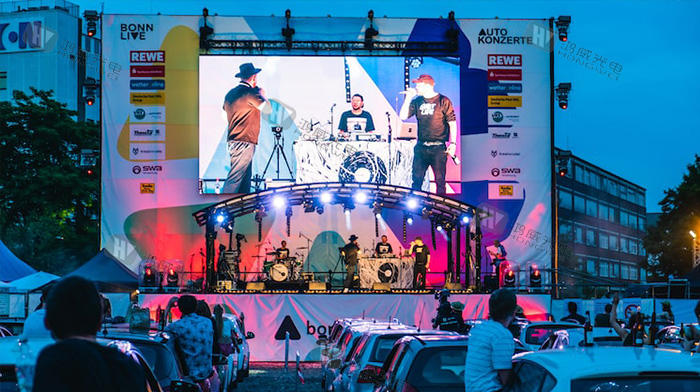
Before fixing a dim LED display, it’s important to understand what determines brightness.
Brightness is usually measured in nits (cd/m²). Different applications require different brightness levels:
Indoor LED displays: 800–1,500 nits
Semi-outdoor LED displays: 2,000–3,500 nits
Outdoor LED displays: 5,000–8,000+ nits
If a display is operating below its designed brightness level, it will appear dull or washed out, especially under strong ambient light.
Normal dimming can occur when:
Automatic brightness control reduces output at night
Content colors are naturally darker
Abnormal dimming usually indicates:
Power or hardware issues
Incorrect configuration
Aging LED components
Understanding the possible causes helps narrow down the problem quickly.
The most common and easiest issue to fix is incorrect brightness settings.
Possible causes:
Brightness set too low in control software
Automatic brightness mode malfunction
Incorrect scene or program settings
Sometimes, displays appear dim simply because brightness was reduced during testing or nighttime operation and never restored.
LED displays require stable and sufficient power to maintain brightness.
Common power-related issues include:
Power supplies delivering lower-than-required voltage
Overloaded power supplies driving too many LED modules
Aging power supplies with reduced output capacity
Insufficient power directly leads to dim or flickering displays.
LEDs naturally degrade over time.
Signs of LED aging:
Gradual brightness reduction
Uneven brightness across modules
Color shifts (especially white turning yellow or blue)
This issue is more common in displays that have operated for several years at high brightness levels.
Control cards and signal cables play a key role in brightness output.
Potential problems include:
Incorrect grayscale or refresh rate settings
Faulty receiving cards
Damaged or loose data cables
Signal loss or misconfiguration can limit the brightness output of LED modules.
External conditions can also make an LED display appear dim:
Direct sunlight overpowering screen brightness
Dust accumulation on LED surfaces
Poor ventilation causing overheating and brightness throttling
Outdoor displays are especially vulnerable to environmental factors.
Start with the simplest solution.
Actions to take:
Open the LED display control software
Check global brightness settings
Ensure brightness is set to 100% (or recommended maximum)
Disable or recalibrate automatic brightness sensors
Test brightness changes in real time to confirm improvement.
If brightness settings are correct, move on to power inspection.
Steps:
Use a multimeter to measure output voltage
Confirm voltage matches LED module specifications
Check for overloaded power supplies
Replace unstable or aging power supplies
A stable power supply is essential for full brightness performance.
Next, inspect the LED modules themselves.
How to identify faulty modules:
Compare brightness across different cabinets
Swap a dim module with a normal one
Check for dead or weak LED lamps
If swapping confirms the module is faulty, replacement is usually the best solution.
Brightness issues can also originate from the control system.
Checklist:
Verify receiving card configuration
Check refresh rate (recommended ≥ 1920Hz, ideally ≥ 3840Hz)
Inspect data cables for damage or looseness
Re-seat control cards and connectors
Sometimes a simple cable replacement can solve dimming issues.
Environmental maintenance is often overlooked.
Actions:
Clean LED module surfaces with soft, dry tools
Remove dust buildup inside cabinets
Improve ventilation and airflow
Ensure cooling fans are working properly
Overheating can cause LED displays to automatically reduce brightness to protect components.
Uneven brightness is another common problem related to dim displays.
Most LED control systems support brightness and color calibration:
Adjust brightness levels per module or cabinet
Recalibrate grayscale settings
Balance RGB values
Proper calibration ensures uniform brightness across the entire display.
If calibration fails:
Identify modules with significant brightness loss
Replace only affected modules to save cost
Ensure replacement modules match original specifications
Replacing severely aged modules restores visual consistency.
Not all dimming issues require full replacement.
Power supply voltage is unstable
Signal cables are damaged
Control card configuration is incorrect
LED modules show severe aging
Brightness loss exceeds acceptable levels
Repair cost approaches replacement cost
Evaluating cost, downtime, and long-term reliability helps determine the best approach.
Some situations require professional support:
Large-scale LED walls
Persistent dimming after troubleshooting
Complex control system issues
Displays under warranty
Professional technicians can diagnose deeper electrical or structural problems efficiently.
A dim LED display can result from simple settings errors or complex hardware issues. By systematically checking brightness settings, power supplies, LED modules, control systems, and environmental conditions, most brightness problems can be resolved quickly and effectively.
Regular maintenance, proper configuration, and timely component replacement are essential for maintaining optimal brightness and visual impact. Whether your LED display is used indoors or outdoors, addressing dimming issues early helps prevent long-term damage and ensures consistent performance.
For reliable LED display products, professional technical support, and long-term brightness performance solutions, Hongwei LED display provides high-quality LED displays and expert services tailored to diverse application needs.
By continuing to use the site you agree to our privacy policy Terms and Conditions.